Connect Fathom to analyze your meeting recordings with AmpUp
Connect Fathom to AmpUp to import your meeting recordings, transcripts, and AI-generated summaries. AmpUp’s AI agents will analyze your sales conversations to provide personalized coaching and help every rep perform at their best.
Unlike OAuth-based integrations, Fathom uses API key authentication for a simpler setup process.
1
Generate API Key in Fathom
Log into your Fathom account and navigate to Settings → Integrations → API Access.Click Generate New API Key and copy the key.
Save your API key securely - it won’t be shown again. You’ll need this to connect to AmpUp.
2
Navigate to Integrations in AmpUp
In AmpUp, go to Settings → Integrations → Fathom.
3
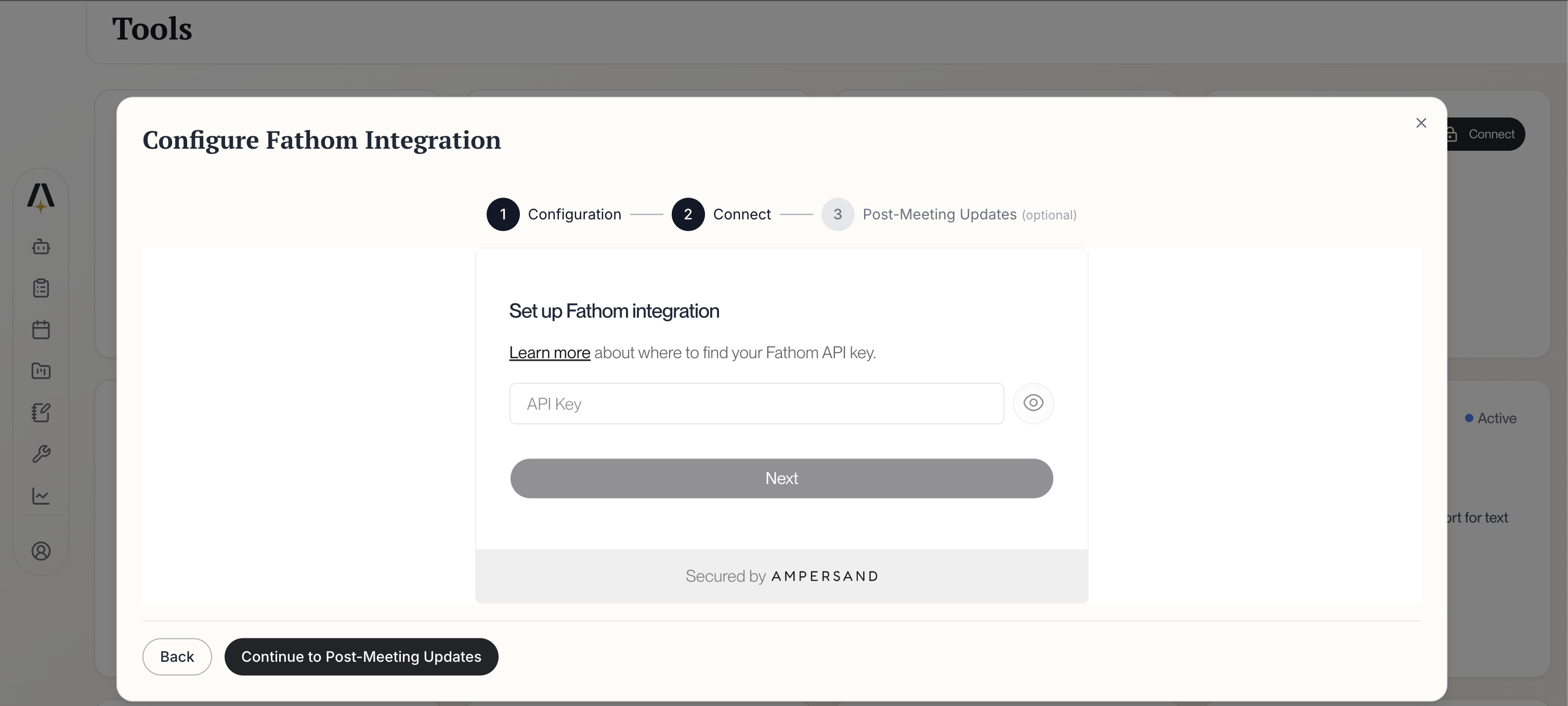
Enter Provider Credentials
Click Connect Fathom. AmpUp will prompt you to enter the API Key you generated from Fathom. AmpUp securely stores this credential and uses it to access your Fathom data.Configure your integration preferences:
Fathom Configuration
Historical Data Backfill Period: Choose how far back to import (default: 30 days recommended)
Data syncs automatically every 10 minutes after initial setup
Click Continue to Configure Fathom to proceed.
4
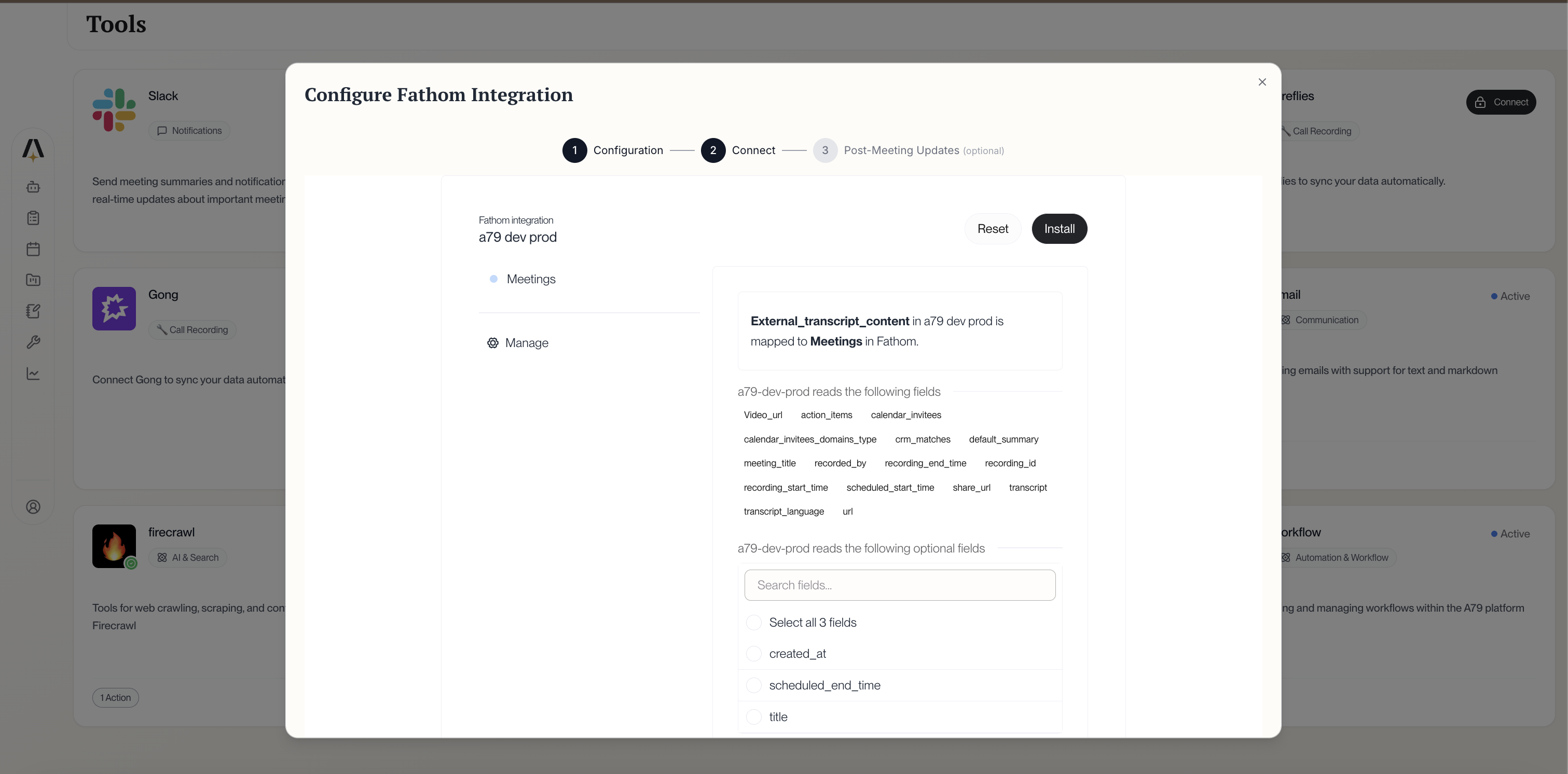
Review Field Mapping
Review which Fathom data fields will sync to AmpUp:
Fathom is a more accessible meeting assistant with a generous free tier, while Gong and Clari Copilot are enterprise conversation intelligence platforms. AmpUp works with all of them to add personalized AI coaching on top of their recording capabilities.
Can I connect multiple conversation intelligence tools?
Yes, but we recommend connecting only one to avoid duplicate meetings. AmpUp will deduplicate based on meeting time and participants, but it’s cleaner to use a single source.
What Fathom plans work with AmpUp?
All Fathom plans work with AmpUp, including the free plan. However, note that free Fathom accounts have limited AI summary credits, which may affect the richness of imported data.
How quickly do new meetings appear?
New meetings typically appear in AmpUp within 15-30 minutes of Fathom finishing processing. Fathom usually processes meetings within 5-15 minutes of the call ending.
Does AmpUp replace Fathom?
No. Fathom continues to record and summarize your meetings. AmpUp adds a coaching layer by analyzing those meetings to provide personalized feedback and training for your sales team.
Can I regenerate my API key?
Yes. Generate a new API key in Fathom’s settings, then update the key in AmpUp’s integration settings. The old key will stop working once revoked.