Invite people (admins)
1
Open your org's Setup page
In the console, open your org. Find Invite your team on Setup, or
Invite people on People and plan.
2
Add their emails and pick a role
- Member, the default: uses the org’s memory.
- Admin: also invites and removes people, changes roles, and manages the org’s setup.
3
Send
Each person gets an email with their own link. The console also shows each
link once, so you can copy it and send it yourself if you prefer.
Manage open invitations
People and plan lists every invitation with its status and expiry.- Resend sends a fresh link and stops the old one working. An expired invite shows New link instead.
- Revoke stops the link working. If the person hadn’t joined yet, it also takes back the access the invite gave them.
An invite link works for 7 days, and only the newest link for a person
works. An invite can be resent a few times an hour.
Join an org (everyone invited)
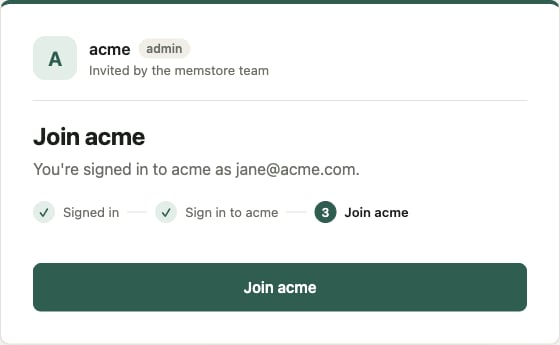
The email says who invited you and to which org. Open the link and follow the page:1
Sign in to accept
Sign in with the address the invite was sent to, or Sign up if you
have no account. If you sign up with a password, confirm your address
from the confirmation email first, then open the link again.
2
Continue to sign in
One more sign-in, this time for the org you’re joining.
3
Join
Press Join org. The console opens on the org.
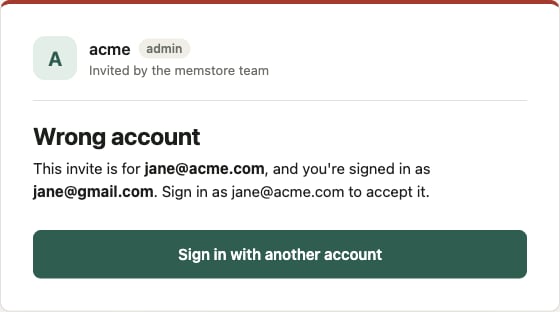
Signed in with the wrong account?
The invite is only for the address it was sent to. If you’re signed in as someone else, the page says so. Press Sign in with another account and use the invited address.