

The invite link works for 7 days and only for the address it was sent to.
If it expired or you can’t find the email, ask your AmpUp contact (or
support@ampup.ai) to resend it. Resending makes a
new link, and the old one stops working.
Sign up from your invite email
1
Open the link and press Sign in to accept
The link in the email opens your invitation. You aren’t signed in yet, so
the page lists what happens next.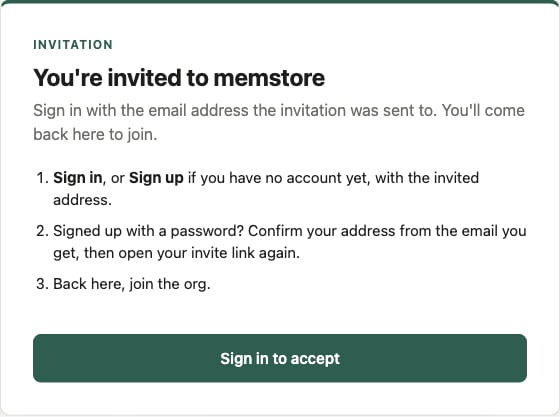
2
Sign in, or sign up, with the invited address
Use the exact address the email was sent to.
- You have an account (Google, or email and password): sign in with it.
- No account yet: choose Sign up and create one with that address. If it’s a Google Workspace address, Continue with Google works too.
3
Signed up with a password? Confirm your address
You’ll get a confirmation email. Confirm your address, then open your
invite link again. memstore only accepts confirmed addresses, so this step
can’t be skipped.
4
Press Continue to sign in, for your org
Back on the invitation, you sign in once more, this time for your org.
That sign-in is what memstore checks to know which org you’re acting in.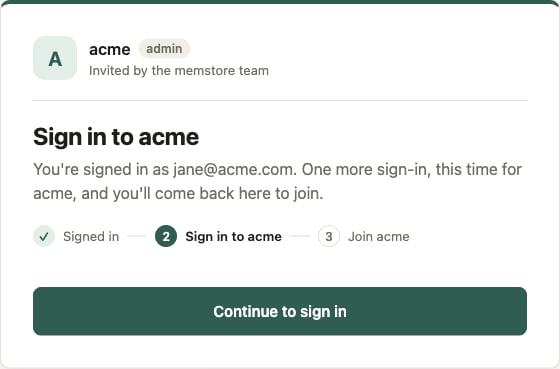
5
Press Join
You’re now the admin of your org, and the console opens on its Setup page.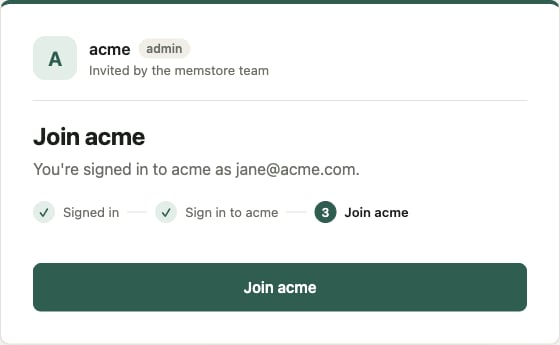
Then, as the admin
The Setup page is a checklist for the whole org. As the admin, start with:- Connect Claude. Follow the steps under Connect Claude so you, and then your team, can ask the org’s memory from Claude.
- Invite your team. Under Invite your team, add people by email as members, or as admins if they should manage the org too. Each person gets their own invite email. See Invite people and join an org.